Microsoft Visual Studio 2005, Visual Basic
Using .NET Component in Windows projects
1) On the Tools menu, click Choose Toolbox Items...
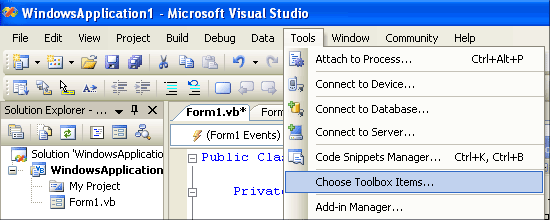
2) In the Choose Toolbox Items dialog box, click the .NET Framework Components tab.
3) Select FTVSPCControl and then click OK.
Note: If FTVSPCControl is not displayed in the list of .NET Components, click Browse and select ftvspcnet.dll from C:\Program Files\Virtual Serial Port Control\Microsoft.NET\Control\ folder.
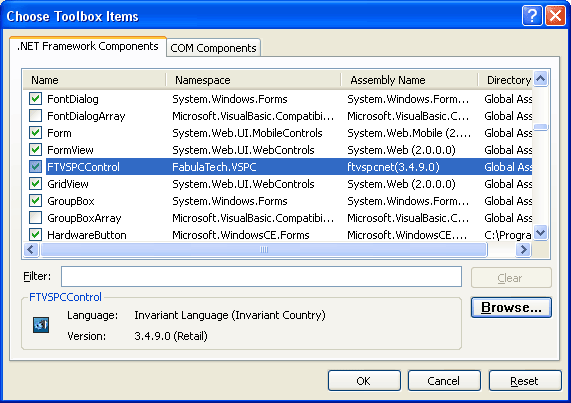
(Will be displayed installed FTVSPCControl version)
4) Now, you can create FTVSPCControl objects. Just drag and drop our control on your form.
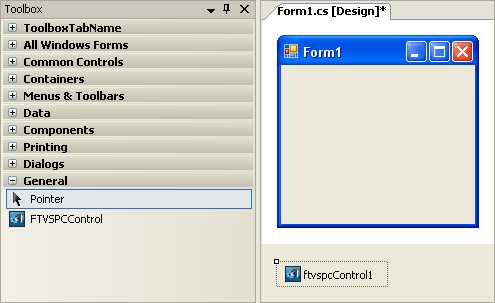
5) By default, VisualStudio assigns name ftvspcControl1 to newly created object. You can reference methods and properties of the object in the following way:
Dim status As Boolean
status = ftvspcControl1.IsEnabled
Using .NET Component in Console Application Projects
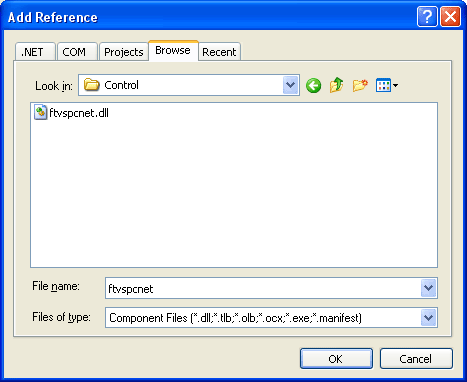
1) On the Project menu, click Add Reference.
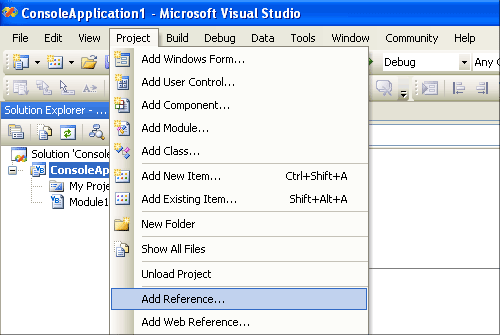
2) In the Add Reference dialog box, click the Browse tab.
3) Select ftvspcnet.dll and then click OK.
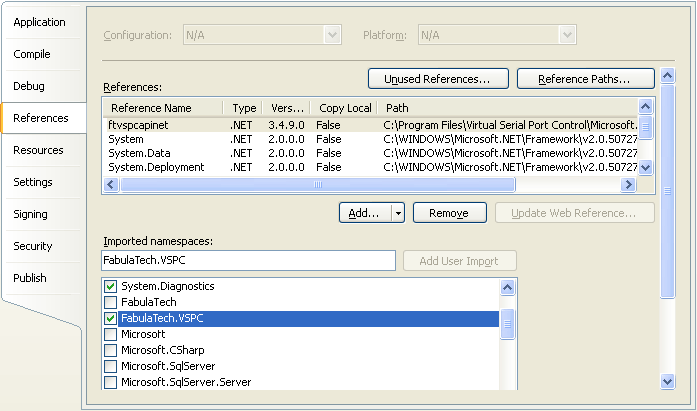
4) ftvspcnet.dll will appear in the "References". Now you should enable FabulaTech.VSPC namespace.
5) Then, you should declare and create Virtual Serial Port Control Control objects.
Dim myControl As FabulaTech.VSPC.FTVSPCControl = New FabulaTech.VSPC.FTVSPCControl()
You can reference methods and properties of the object in the following way:
Dim status As Boolean
status = myControl.IsEnabled